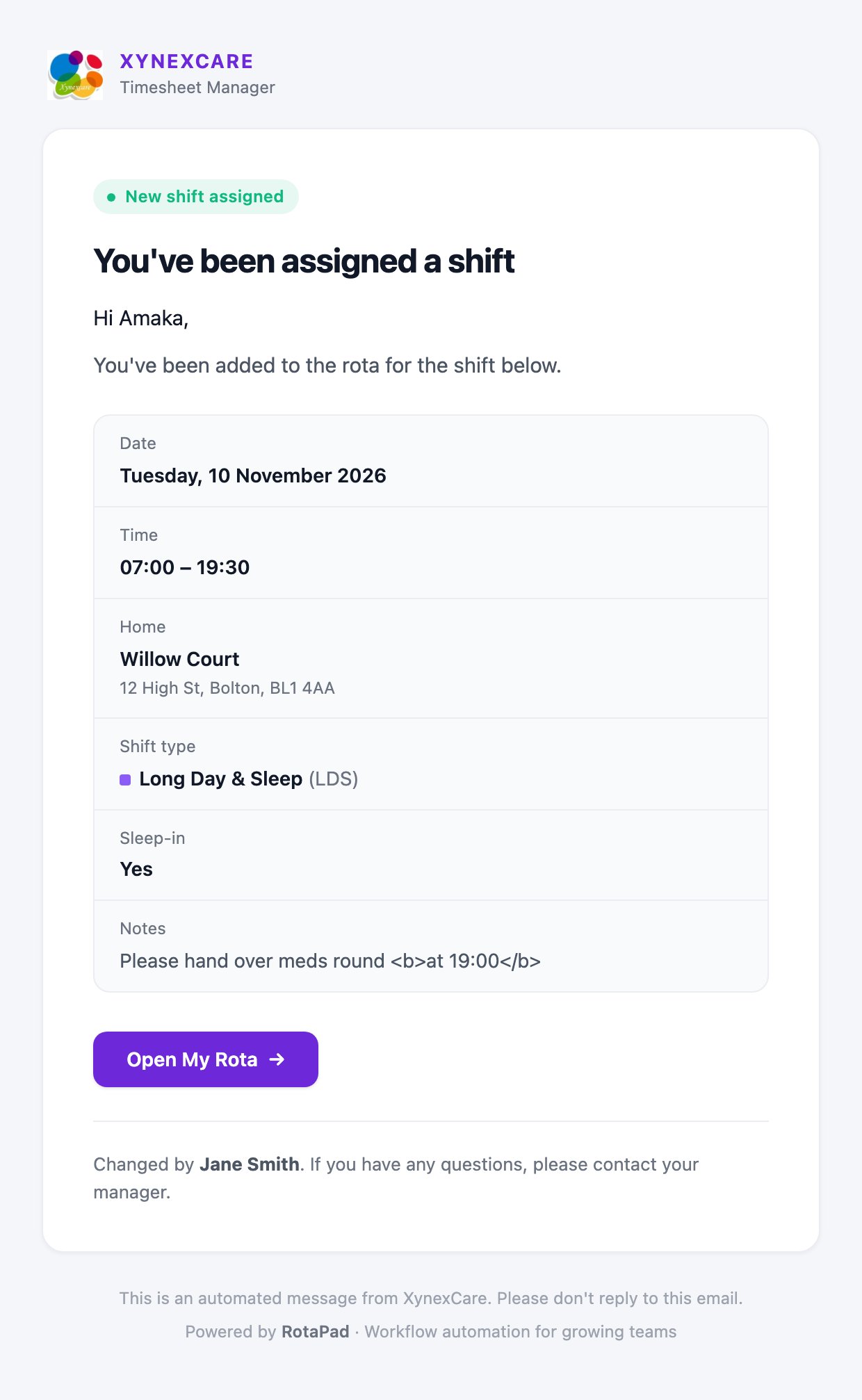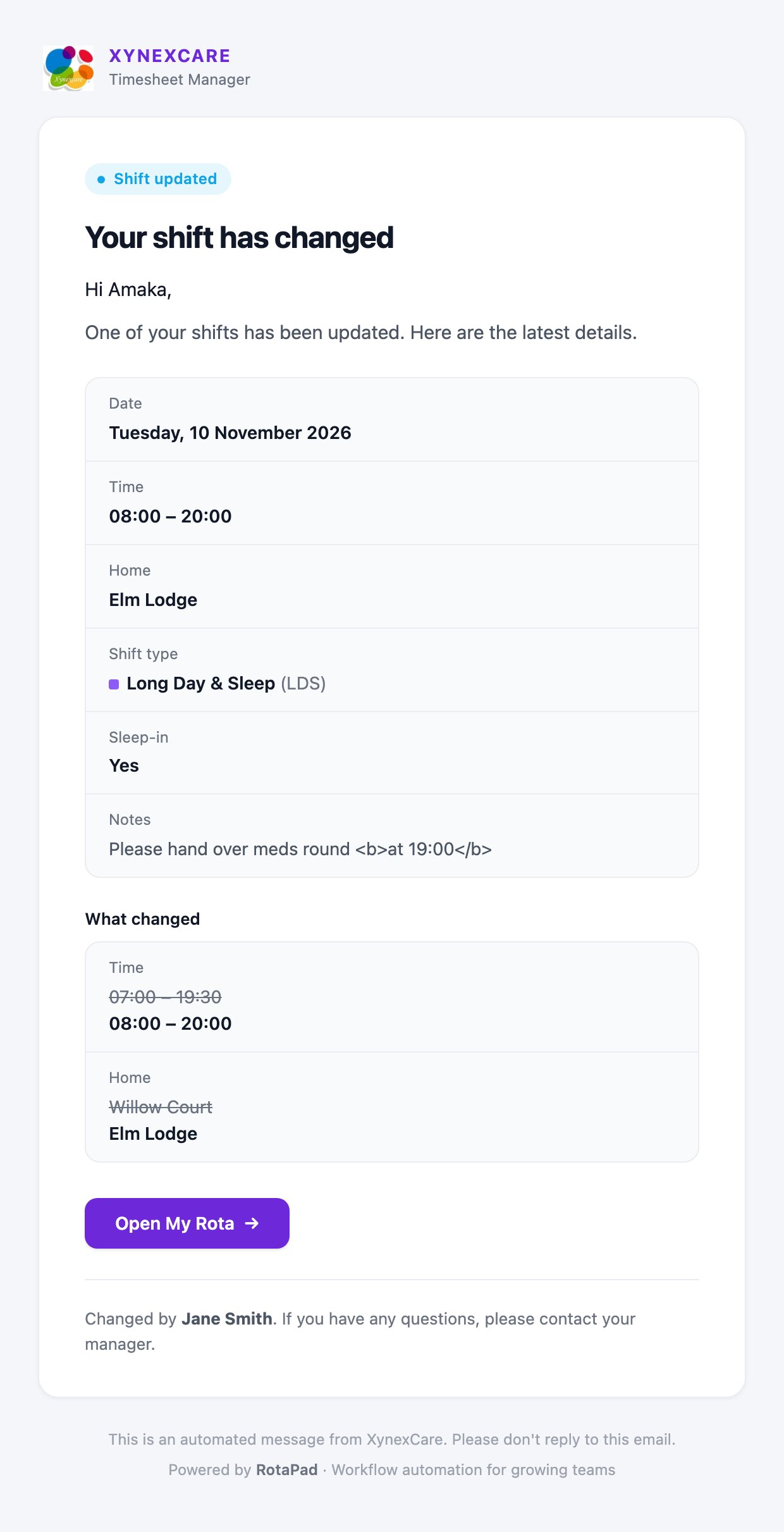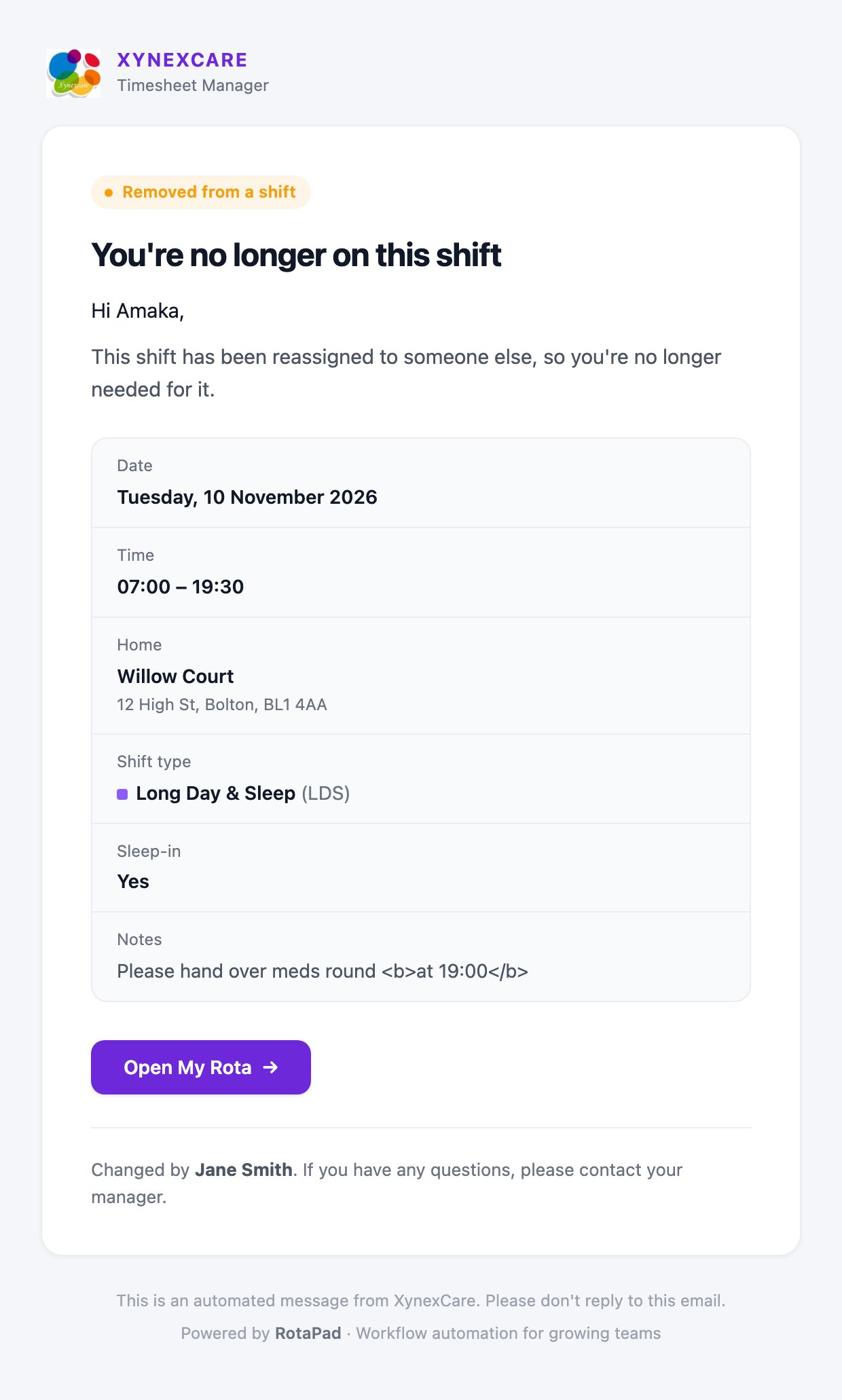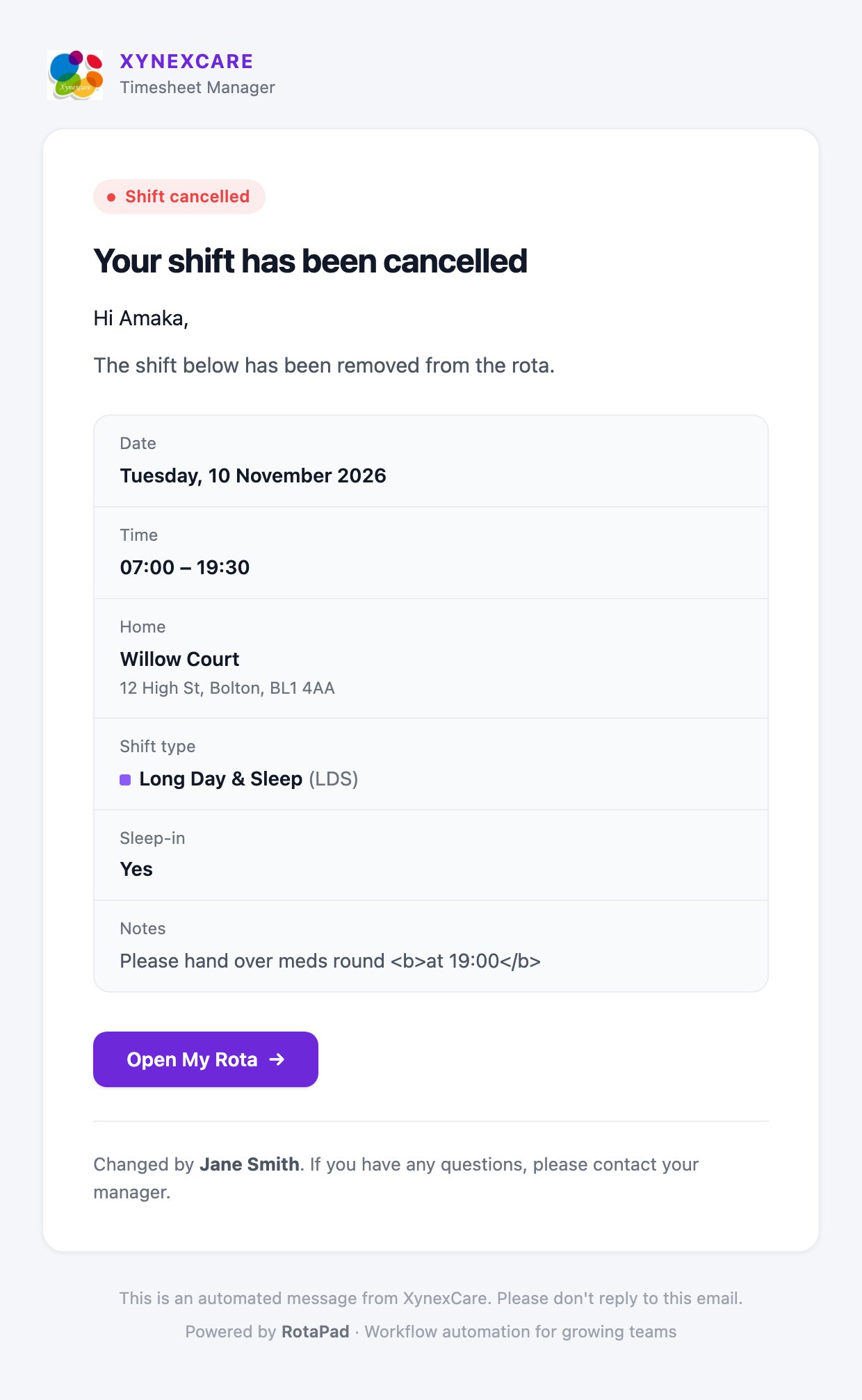
RotaPad emails staff automatically whenever a change to the rota affects them. Each email shows the shift in full and has an Open My Rota button.

When emails are sent

Two rules keep inboxes quiet:
  • Editing only the comment sends nothing. The latest comment is included in any email that does go out.
  • Nobody is emailed about their own change. For example, staff who add a shift for themselves aren’t emailed about it.

What the emails look like

New shift email with the date, time, home, shift type and an Open My Rota button
The Shift updated email includes a What changed section, with the old value crossed out above the new one.

See who was emailed

After you save or delete a shift, the confirmation message lists who was emailed, for example Amaka Obi and Ben Carter notified by email. If an email can’t be sent, you’ll see a warning such as Couldn’t email Ben Carter. The change is still saved, so let them know another way. If a staff member has no email address, you’ll see No email address for followed by their name.
Make sure every staff member has an email address on the Staff page so they don’t miss changes.